P44 had the chip write pixels into RAM and a host viewer read them out — but P44’s RTL was P09-vintage (RV32I, no Sv32, no FreeRTOS modernisation). P69 brings that same pattern forward to the P66/P68 chip with zero new RTL: the framebuffer is just RAM the chip writes to via direct address.
Headline: 24 animated frames at 128×96 RGB565, rendered by a bare-metal RV32IMAC program in ~25M cycles, dumped per-frame by the Verilator harness on a
MMIO_FRAME_READYstrobe, stitched into an animated GIF for the page.
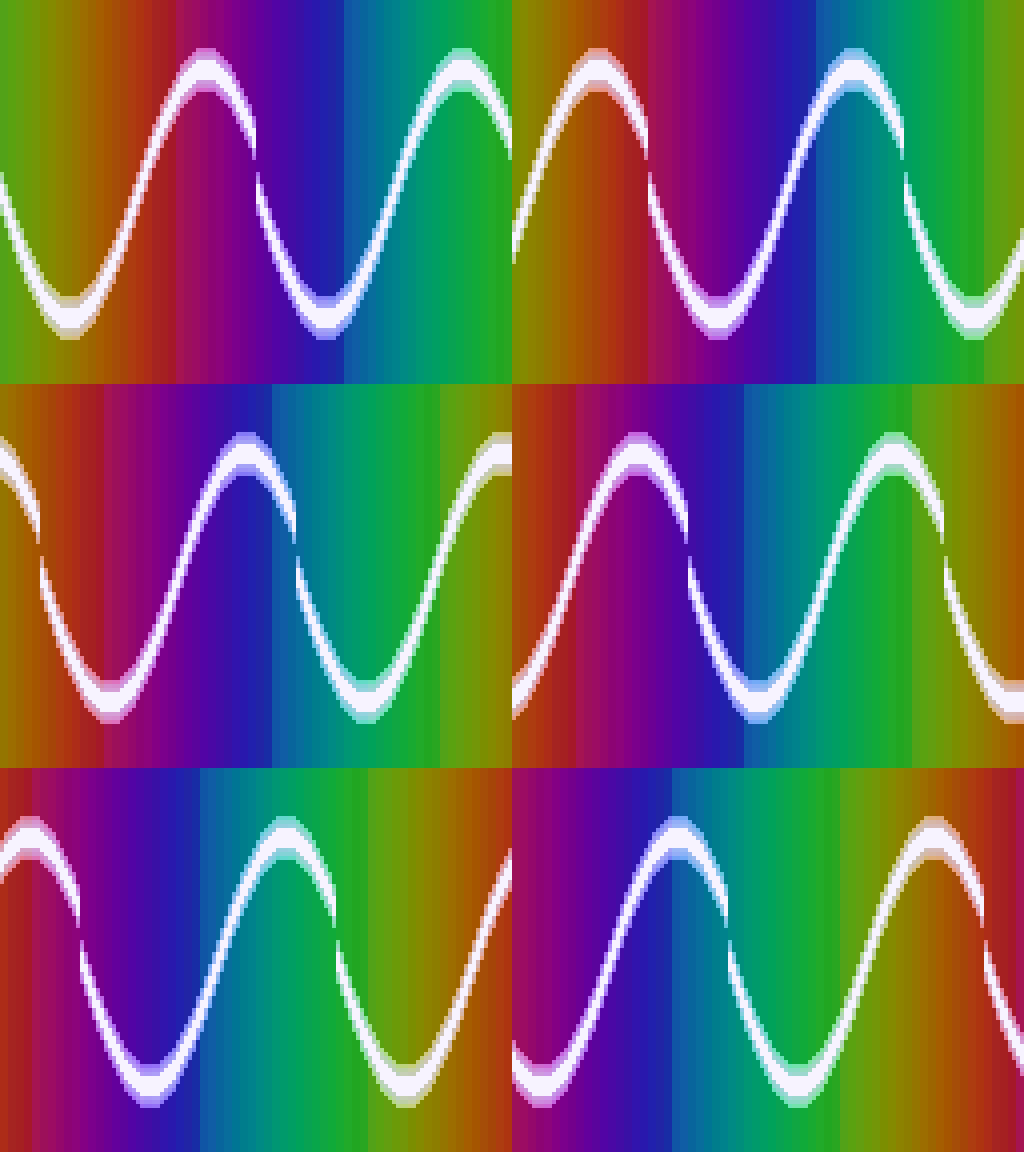
The animation above is real chip output. A bare-metal program
running on the P68-vintage core (RV32IMAC, no FP, no OS) draws
each of those 24 frames into RAM at 0x00800000, pulses
MMIO_FRAME_READY (0x10001ffc) with the frame number, and the
Verilator harness writes frame_NNNN.bin for each pulse. The
viewer turns them into a PIL-encoded GIF.
The single-frame test pattern from earlier still works too:
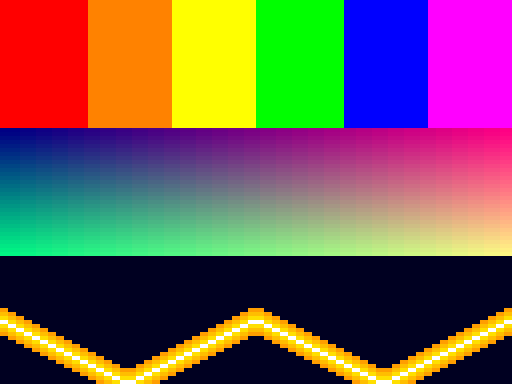
The image above came out of the chip. Six color bars across the
top third (red/orange/yellow/green/blue/magenta), a smooth
red×green gradient on a half-blue background through the middle,
and an absolute-sine waveform with a soft tail at the bottom. The
chip-side code that drew it lives at
projects/69_framebuffer_revival/app/main.c and is about 60 lines
including the test pattern.
How the plumbing works
Two paths — single-frame on halt, and per-frame on a strobe:
- The chip’s bare-metal program writes RGB565 halfwords to
volatile uint16_t * const FB = (uint16_t *)0x00800000u;— plain stores into upper RAM. - Per-frame: after each frame, the program writes the frame
number to
MMIO_FRAME_READY(0x10001ffc). The chip’s MMIO module pulses aframe_strobeoutput and latches the value asframe_seq. The Verilator harness watches the strobe; on each pulse it dumps the FB region to<dir>/frame_<seq>.bin. - Single-frame: when the program is done it writes
MMIO_HALT = 1. The chip halts. The harness, given+fb_dump=path, writes the FB region one last time to that path. viewer/viewer.pyreads frames and either pops up a pygame window (single or movie), saves a PNG, or stitches an animated GIF.
nix develop                            # at the repo root
cd projects/69_framebuffer_revival/test
make verilator                         # build the chip simulator
make run                               # build app + run; writes captured/fb.bin
make view                              # opens captured/fb.bin in a pygame window
Why this matters
This is the scaffolding for everything graphical that comes next:
- A raylib build — cross-compile raylib for
rv32imacwith a software-rendered backend that writes to0x00800000directly. Any raylib program — cubes, sprites, text, basic 3D — renders on the chip and pops up on the host. - AtomVM graphics — once the soft-float toolchain wall on P68 is resolved, an Erlang process can draw into the framebuffer. Message-passing concurrency driving pixel output is the demo.
- Animated frames — add an MMIO frame-strobe register
(
0x10001ffc, the same convention P44 used) and have the harness dump per-frame intoframe_NNNN.bin. Viewer plays the sequence as a movie. Plasma demos, particle systems, scrollers — all unlocked by that one register and a sequence of dumps.
What’s not here
- No animation. The chip writes one frame and halts.
- No double-buffering. Tearing wouldn’t matter at single-frame.
- No font rendering. The waveform and color bars are mathy patterns, not text.
- No iverilog flow yet. The harness changes are Verilator-only; iverilog dumping is a follow-up if we want it.
These are all natural next steps. The scaffolding is the rung — this page exists so you can look at the PNG and know the chip put each pixel there.
Build & run cheatsheet
# build the renderer ELF + boot blob
make all

# build the Verilator binary against the chip RTL
make verilator

# run the chip in Verilator and dump the FB
make run

# open captured/fb.bin in a pygame window (q to quit)
make view

# or render a PNG instead
uv run --with pillow ../viewer/viewer.py captured/fb.bin 128 96 \
    --scale 4 --png captured/fb.png
Pinned chip RTL: copy of P68’s, which adds RV32C (compressed-instruction support) on top of the P66 optimization arc. P69 itself introduces no chip-side changes.